Progress you can defend, not progress you assembled by hand
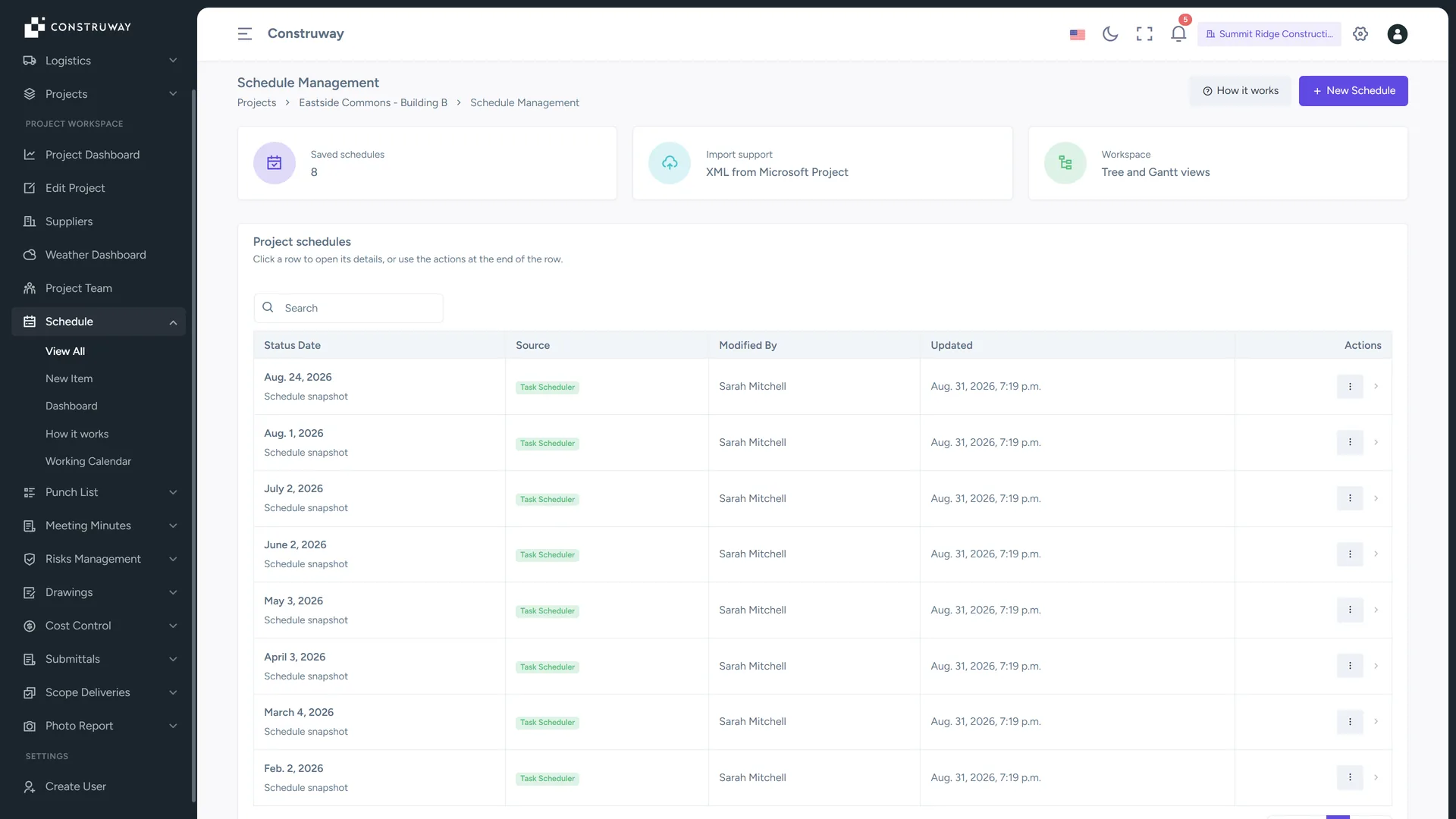
Critical path, total and free float, and progress performance computed in working time against a frozen baseline — imported straight from MS Project. The end-of-month update rush is over.
Connect your schedule to measured field progress
Construway imports from MS Project, then computes critical path, float and progress performance in working time — so field updates translate directly into PMO-grade reporting.
Tree-based Task Editor
Build and manage your WBS directly in the browser. Add tasks, adjust durations, and define parent-child relationships with a powerful tree visualization that recalculates roll-ups instantly.
Progress measurement you can defend
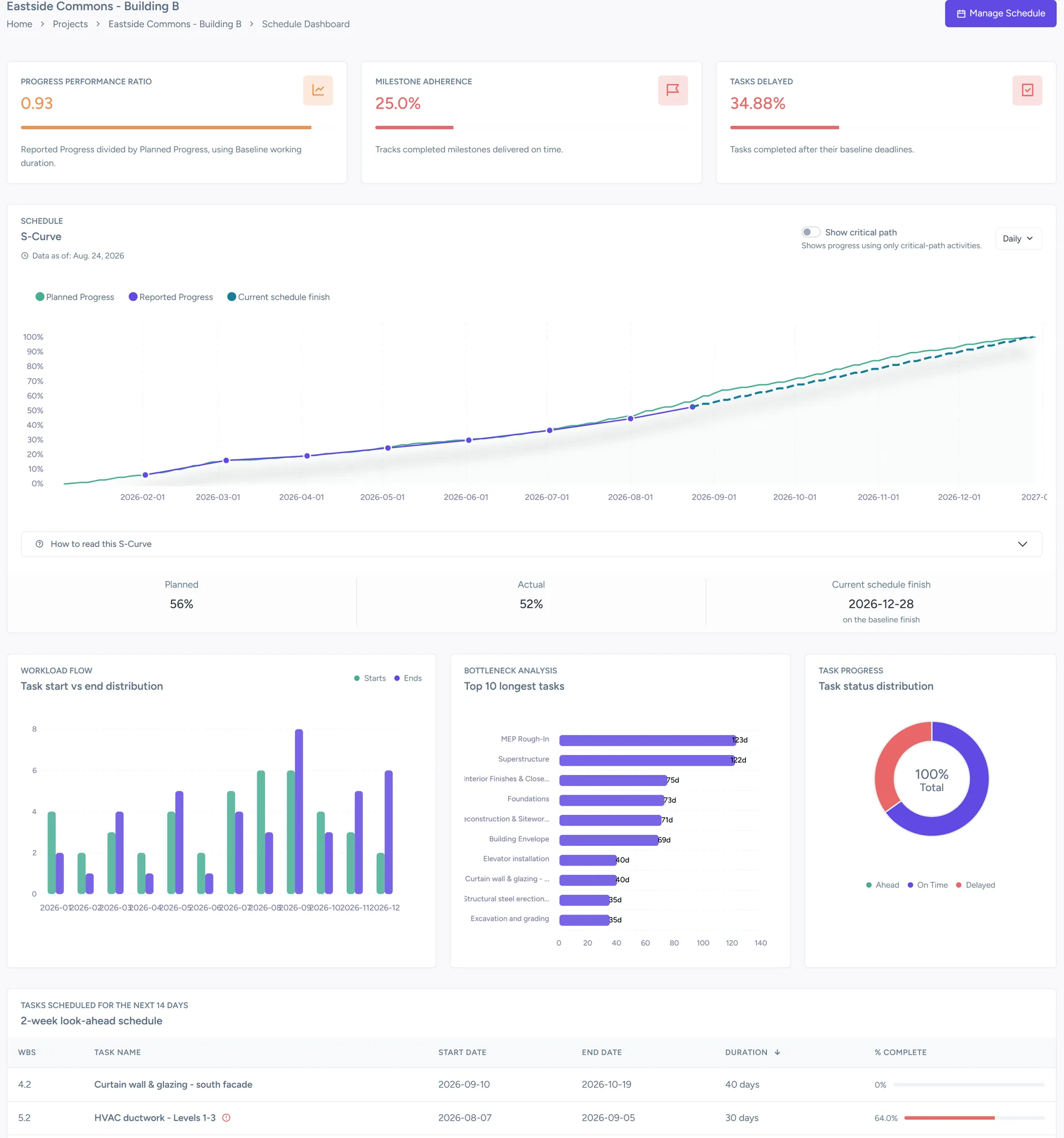
Planned Progress and Reported Progress are compared on every status date, giving you a Progress Variance in percentage points and a Progress Performance Ratio where 1.00 is on plan. Monthly report preparation is no longer a multi-day exercise.
Intelligent S-Curves
Visualize Planned against Reported progress with duration-weighted completion at the leaf-node level. Daily, weekly, and monthly granularity, all in one dashboard.
Predictive completion forecasting
Use the current Progress Performance Ratio and remaining work volume to forecast your project end date. Identify schedule slippage 3–4 weeks before it becomes a contractual issue.
The numbers your PMO actually needs
Progress figures are meaningless if they are two weeks old. Construway recalculates Planned and Reported Progress every time a field team updates a task — measured in working time against your frozen baseline, giving your PMO a live view of schedule health.
- Baseline freeze and comparison: Lock your approved baseline the moment it's signed off. All performance metrics calculate variance against the frozen plan — not a moving target.
- Look-ahead planning: Generate automated 2-week look-ahead schedules filtering upcoming and in-progress tasks. Give field teams their sprint-level priorities.
- Milestone adherence: Monitor how many milestones are on time, late, or at risk. Report to owners against a timeline that reflects your contract commitments.
Connect your schedule to field reality
A schedule that lives only in the planner's laptop is useless to the field. Construway provides a manual task editor with tree visualization, putting your WBS in the hands of every project team member.
- Tree-based editing: Navigate and edit multi-level WBS structures. Toggle nodes, indent tasks, and reorganize your project hierarchy with zero lag.
- Real-time roll-ups: Updating progress on a leaf task instantly updates percentages, start dates, and end dates for every parent node in the WBS.
- MS Project import: Import Microsoft Project XML — the file is validated on upload, not trusted by its extension. Preview every change before it is applied.