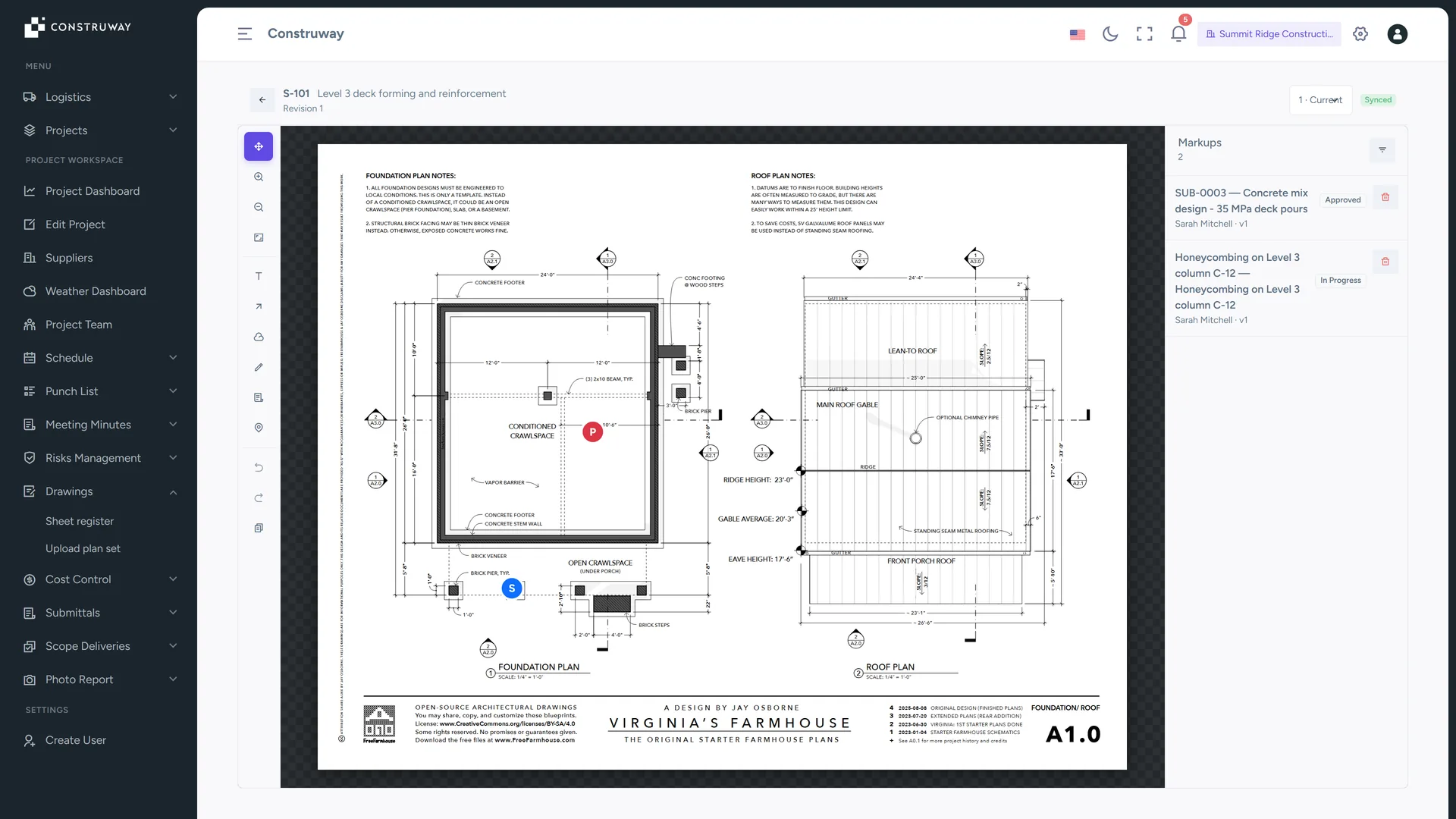
Keep the current revision in front of the field team
Publish plan sets as a controlled sheet register, preserve every revision, and turn a field markup into an assigned item with an owner. Rework from a superseded drawing is the most expensive kind, because it is always found late.
From PDF upload to field-ready drawing control without version confusion
The Drawings module creates a controlled path from an uploaded plan set to a published sheet register and an auditable viewer.
Controlled sheet register
Construway reads each page's title block and proposes a sheet number, title, discipline and revision — each with a confidence badge — for you to confirm, correct or exclude before publishing.
Revision-aware publishing
Map new pages to existing sheets, preserve predecessors, and make the current revision explicit.
Field markups
Pan and zoom the sheet, then annotate with text, arrows, freehand and revision clouds. Every markup is tied to its published revision and backed by undo, redo and an append-only history.
Linked project records
Pin a submittal or punch-list item to a sheet — or raise a brand-new punch item, with photo, category, contractor and approver, without ever leaving the drawing.
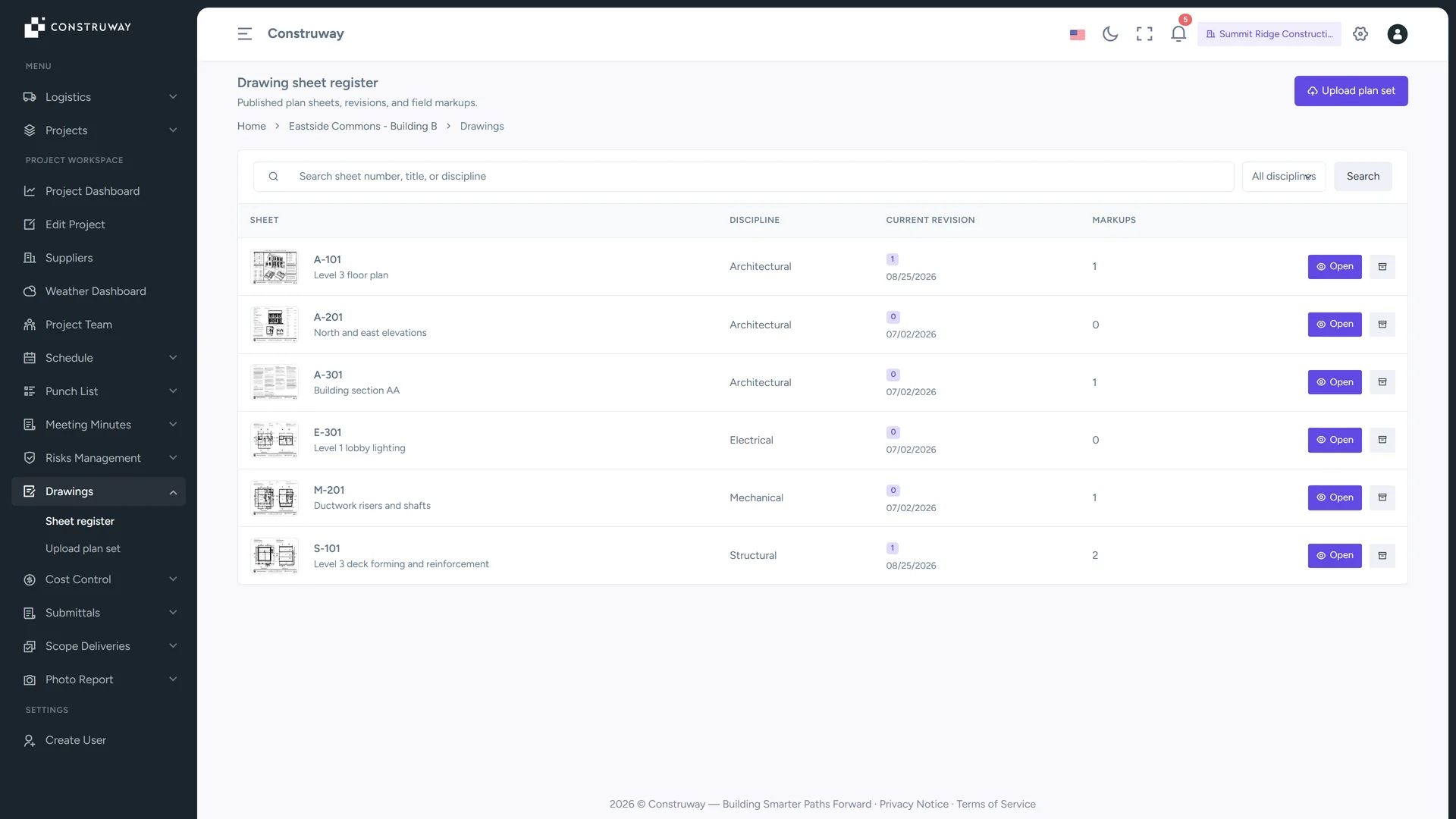
Make every sheet traceable before it reaches the site
A PDF upload is only the start. Construway detects pages, saves your review draft, and lets project managers publish the included sheets as revisions only after the set is checked.
- Review before publish: Confirm the sheet number, title, discipline, revision label and date proposed from the title block for each page — or override any of them. Your review is saved as a draft, and publication is atomic.
- Keep a clean register: Search by sheet, title, or discipline and open the current published revision from one list.
- Preserve evidence: Published drawing revisions and their history remain available for the project record.
Put the right context on the drawing
The viewer gives teams a shared visual reference for coordination without turning the plan into an uncontrolled editable file.
- Markup with intent: Use text, shapes, arrows, and color to communicate field observations clearly.
- Link what matters: Place pins for submittals and punch-list records, create a new punch item inline, and open the linked record from the drawing. The record links back to the exact pin location.
- Carry forward carefully: Review selected markups on a new revision, shift them when needed, and confirm before applying.