See budget pressure before the month closes
Build a cost WBS, sanction the original budget, connect change orders and commitments, record actuals, and keep the estimate at completion visible in the same workspace as the schedule that is driving it.
A controlled cost story from budget to forecast
Cost Control connects the decisions that move a budget with the live commitments, actuals, and estimate at completion that leaders need to act.
Cost WBS
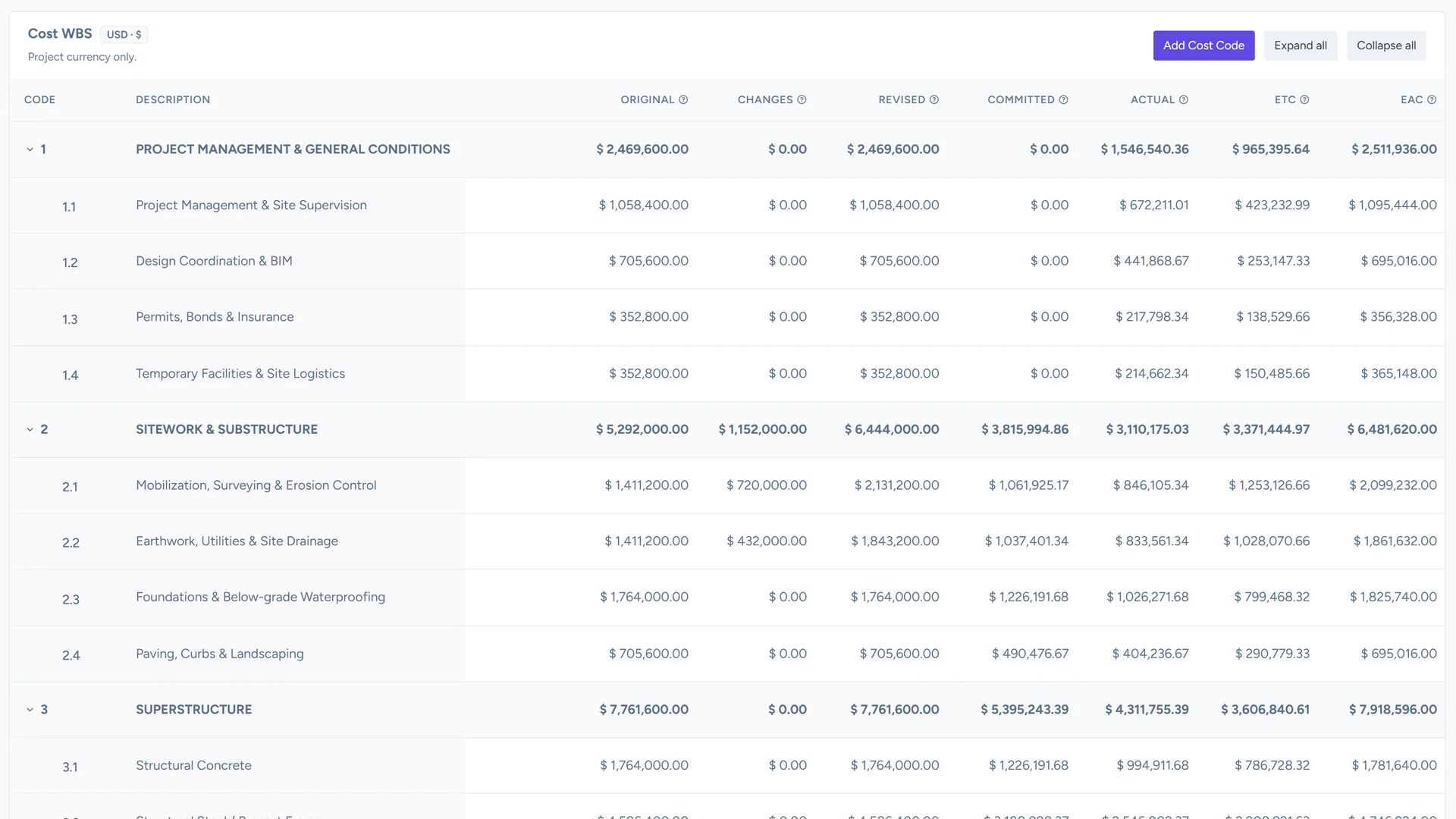
Organize cost codes in a project-specific WBS and keep financial postings on the right level of detail.
Budget and change control
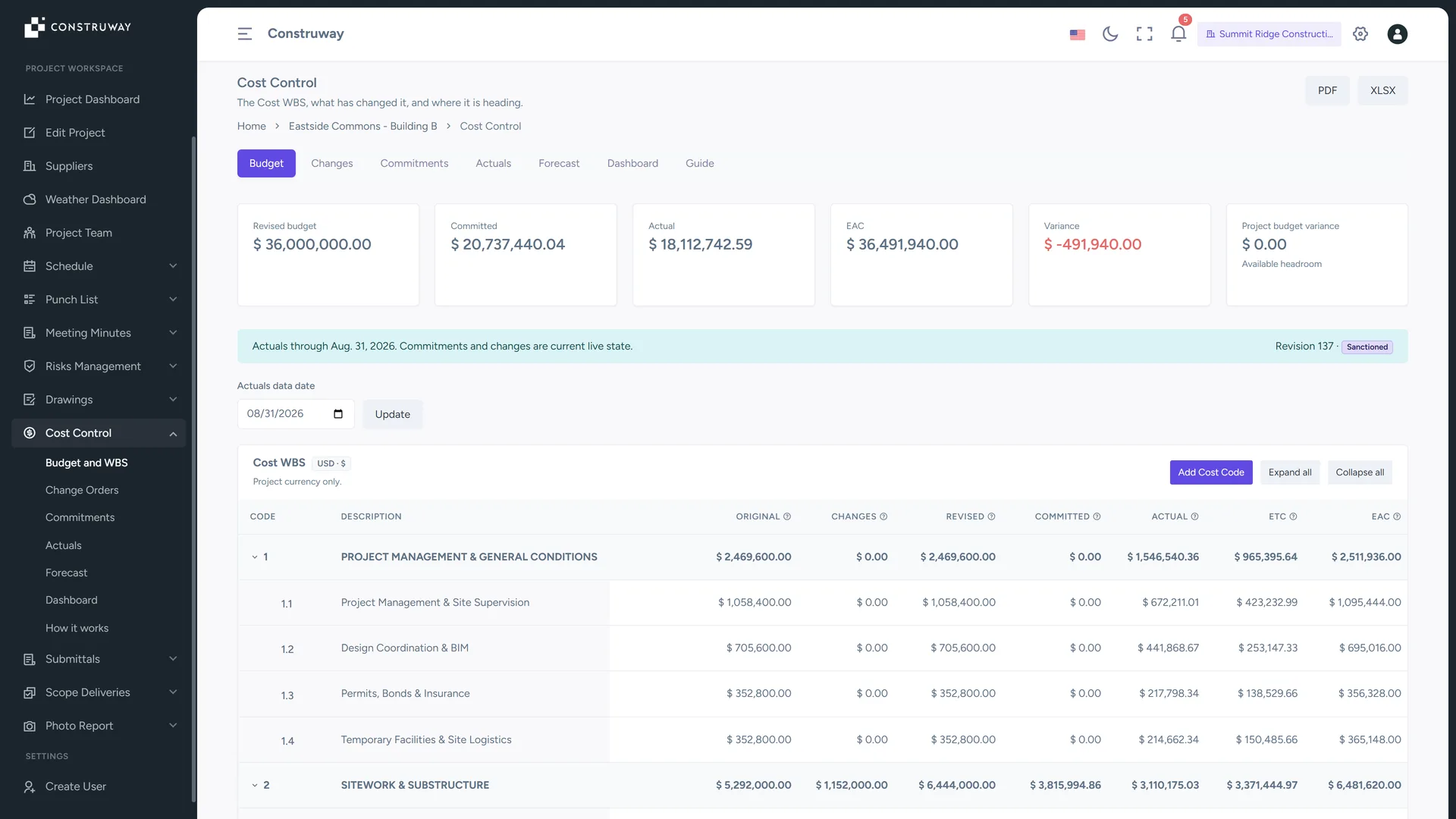
Sanction the original budget, track approved change orders, and make project-budget variance visible.
Commitments and actuals
Follow awarded commitments, variations, actual cost entries, and corrections with clear status and lineage.
Forecast and EAC
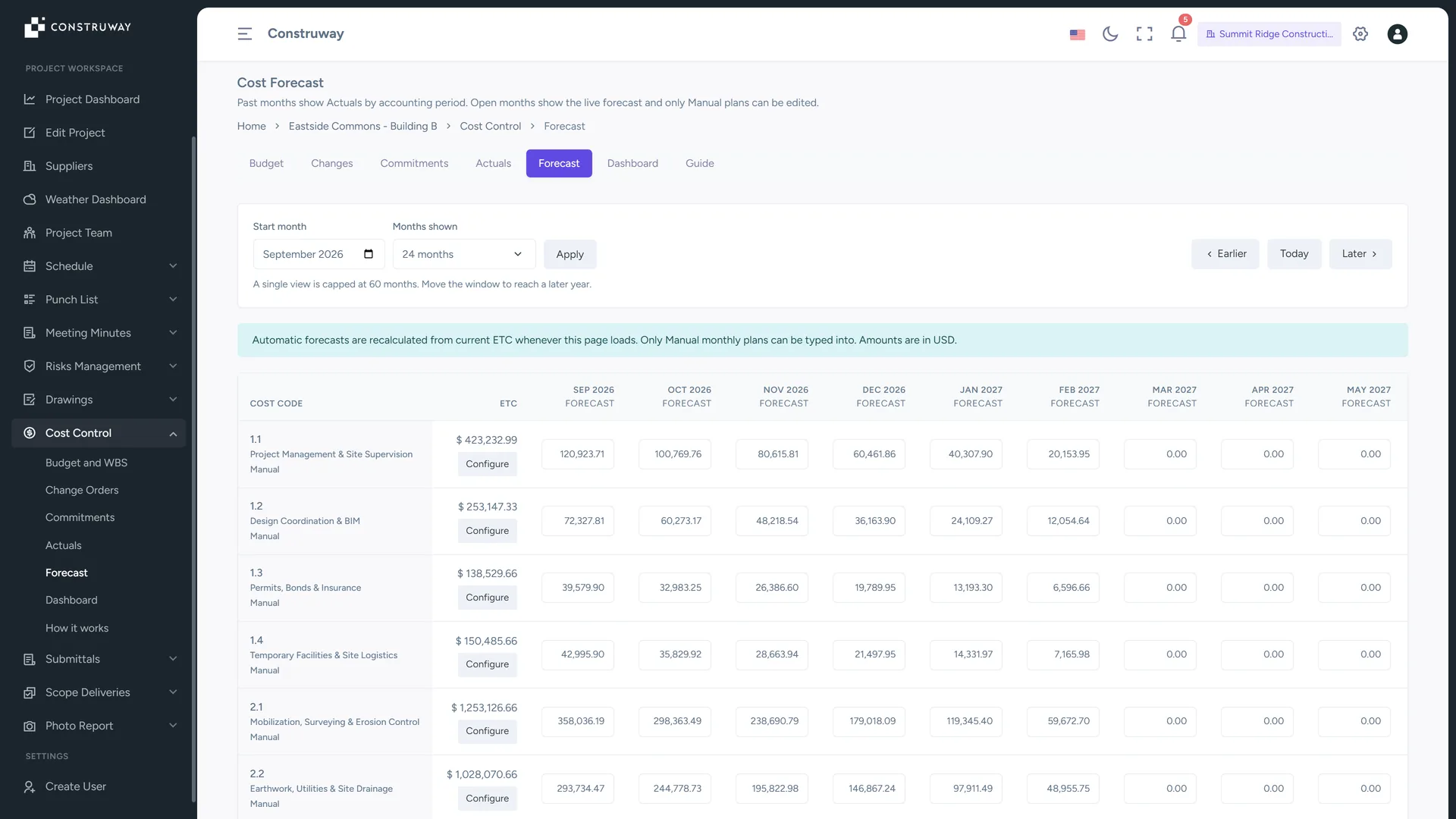
Maintain current and future forecasts, then compare actuals plus ETC with EAC and variance.
Turn budget changes into visible decisions
Cost Control separates the independent project budget from the sanctioned cost budget, then shows how approved changes, commitments, and actuals affect the current position.
- Sanction the baseline: Freeze the original cost budget after acknowledgement and keep revision history around the decision.
- Track the full chain: Move change orders and commitments through controlled states with the project currency as the source of truth.
- Keep corrections honest: Actual corrections supersede prior entries instead of overwriting them, each carrying its own SHA-256 content hash, so the financial record stays explainable end to end.
Plan the remaining cost, not just the spend to date
The dashboard brings revised budget, committed, actual, ETC, EAC, variance, and contingency drawdown into one project view, with exports for stakeholder reporting.
- Import safely: Save a column-mapping profile per source system, then preview every row classified as new, duplicate, supersession or error before a single value is written.
- Forecast by period: Edit current and future project months while past months remain locked by the data-date rule.
- Report clearly: Export cost-control reports to PDF or XLSX and actuals to CSV or XLSX when the team needs a handoff.